- Home Page /
- Mobile Phone Accessories /
- Accessories /
- Stylus Pens /
- Stylus Pens for HP Envy X360 Convertible 2-in-1 Touch S...
0 ratings







Item #:
88224180
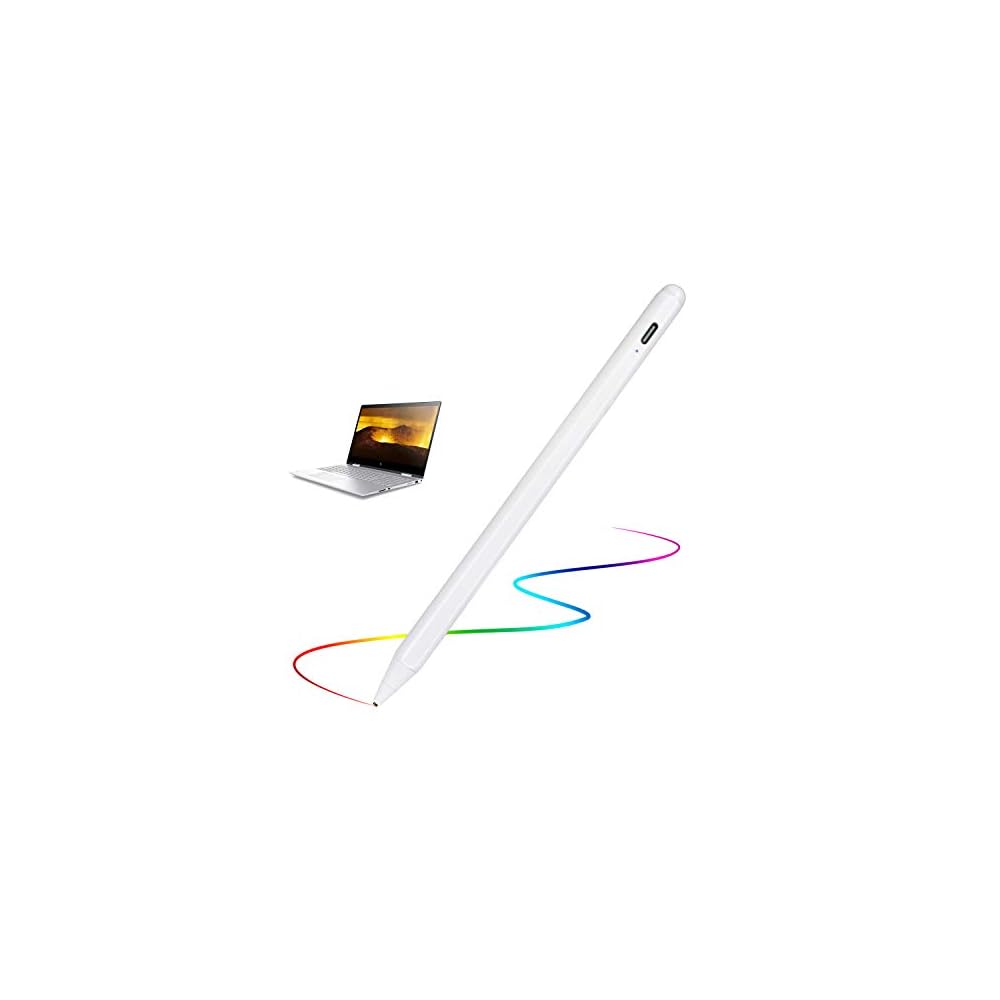
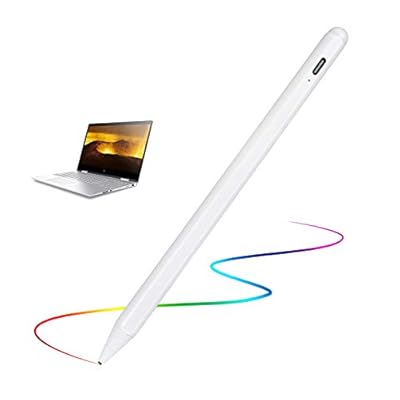
Stylus Pens for HP Envy X360 Convertible 2-in-1 Touch Screen Laptop (15.6") Pencil, Active Stylus Digital Pencil Fine Tip Stylus for HP Envy X360
Item #:
88224180
BDT 2028
Price Details
Excluding Shipping & Custom charges ( Shipping and custom charges will be calculated on checkout )
*All items will import from US
58%
In stock
 Imported from USA store
QTY:
Order now and get it around Thursday, June 25
Secured transaction
Ubuy works hard to protect your security and privacy. Our advanced payment security system ensures confidentiality by encrypting your information during transmission using AES (Advanced Encryption Standards) and SSL (Secure Socket Layer) protocols. Your payment details are 100% secure as we do not share your payment details with third party sellers.
Our Top Logistics Partners


Experience pinpoint accuracy and a comfortable pen-like control with our active stylus for HP Envy X360.

Fast
Shipping

Free
Return*

Secure Packaging

100% Original Products

PCI DSS Compliance

ISO 27001 Certified


Note: Step Down Voltage Transformer required for using electronics products of US store (110-120). Recommended power converters Buy Now.


What Stands Out
Precision Control
This stylus features a fine tip for precision control, ideal for detailed work on the HP Envy X360, enhancing your drawing and note-taking experience efficiently.
Seamless Connectivity
Designed specifically for the HP Envy X360, it ensures seamless connectivity and compatibility, providing a hassle-free experience in capturing ideas and navigating your device.
Ergonomic Design
The stylus pen boasts an ergonomic design, ensuring comfortable use over prolonged periods, reducing hand fatigue while maintaining optimal control and maneuverability.
Product Details
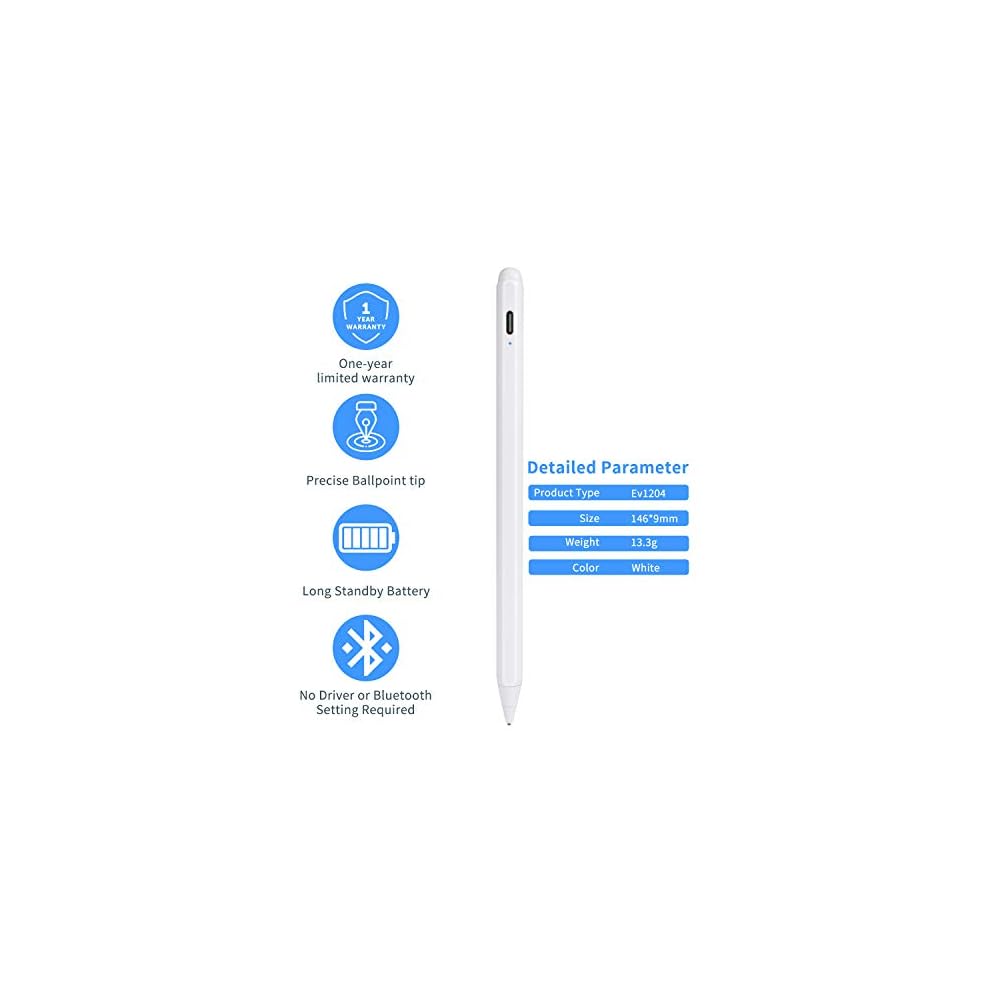
- 【New Active Stylus】EVACH New Design Active stylus for HP Envy X360 Convertible 2-in-1 Touch Screen Laptop (15.6") is made for smoothly writing and drawing for artist,journalist,teacher and students etc. Fine tip,light weight, elegant brief stylish design with 1.5mm metal tip, providing more sensitivity with long time wearing at best performance
- 【Touch-Control】This stylus pencil provides a smooth pen-writing experience for your HP Envy X360 Convertible 2-in-1 Touch Screen Laptop (15.6") touchscreen and smartphones has a good touch point than the tip of your finger,which provides better accuracy. Don't worry your fingers after using this pen
- 【Long Life Battery】A full charge takes 60 minutes and it supports 20 hours of continuous use with Built-in Lithium-polymer. Smart saver will auto shutdown after 30 minutes. Charging input is 5V/0.2A.【Warm Tips】Don't Use Fast Charger because of high currency will do damage to the internal chip.
- 【Perfect Gift Option】This pencil stylus for HP Envy X360 Convertible 2-in-1 Touch Screen Laptop (15.6") is a perfect gift option for all seasons with an elegant designed box and charming uses. Get it without hesitation for youself and your friends.
- 【After-Sales Support】Contact us at any time if there is any question or concern on the product or service.We are always here to help and get problem resolved.We will make everything right for you as faithful partner
| Number of Batteries | 1 Lithium Polymer batteries required. (included) |
| Compatible Devices | Tablet |
| Minimum Required Operating System Version | Android 10.0 |
| Item Weight | 40 Grams |
| Item Dimensions | 5.91 x 0.39 x 0.39 inches (15 x 1 x 1 cm) |
| Color | A-Whie |
| Enclosure Material | Aluminum |
| Brand | EVACH |
| Model Number | K806 |
| Are Batteries Included | Yes |
| Are Batteries Required | Yes |
| Unit Count | 1.0 Count |
| Manufacturer | EVACH |
| Mfr Part Number | K806 |
| Material | Aluminum |
| Item dimensions L x W x H | 5.91 x 0.39 x 0.39 inches (15 x 1 x 1 cm) |
| Batteries Required? | Yes |
Who Should Buy?

-
Artists and Designers
Perfect for creatives who need precision and control for drawing and design on their HP Envy X360.
-
Students Taking Notes
Ideal for students who prefer handwritten notes on their convertible laptop, enhancing learning and retention.
-
Business Professionals
Great for professionals who require quick annotations and signatures on documents during meetings or presentations.

-
Casual Users
Not ideal for casual users who do not require advanced features or precision in their daily tasks.
-
Gamers
Unsuitable for gamers who rely on speed and response time, as stylus pens are not optimized for gaming.
-
Budget-Conscious Buyers
May not be the best choice for those seeking low-cost alternatives, as quality stylus pens can be pricier.
Product Description
Have any Query? Chat with us
Customer Questions & Answers
-
Question:
What are the benefits of using a stylus pen with the HP Envy X360?
Answer: Using a stylus pen with the HP Envy X360 enhances precision in your everyday tasks. It allows for fine detailing when drawing or taking notes, which is particularly useful in creative applications. Furthermore, the comfort of writing with a stylus reduces finger strain during prolonged use, promoting a more natural experience. If you often sketch, annotate documents, or navigate your screen, a stylus can streamline these tasks and improve your overall productivity. -
Question:
Is the stylus compatible with all HP Envy X360 models?
Answer: Not all stylus pens are universally compatible with every HP Envy X360 model. Ensure that the stylus explicitly mentions compatibility with your specific model number. Generally, active stylus pens designed for touch screen laptops offer features like pressure sensitivity and palm rejection, which enhance the writing experience. Check your device specifications before making a purchase to ensure smooth performance. -
Question:
How do I use the stylus pen on my HP Envy X360?
Answer: Using the stylus pen on your HP Envy X360 is simple. First, ensure that the pen is fully charged or has working batteries, if applicable. Then, just tap or draw on the screen as you would with your finger. Many styluses support different pressure levels for varied line thickness. Whether taking notes, sketching, or navigating apps, the stylus offers greater control and accuracy over your touchscreen interactions. -
Question:
Can I use the stylus for gaming on the HP Envy X360?
Answer: While most stylus pens are designed for tasks like note-taking and drawing, they can also enhance certain gaming experiences on the HP Envy X360, especially in puzzle and adventure games that allow for touchscreen interaction. However, traditional stylus use may not provide the rapid response needed for fast-paced gaming. Consider your gaming style and whether a stylus enhances that experience based on the games you enjoy. -
Question:
What features should I look for in a stylus pen?
Answer: When selecting a stylus pen for your HP Envy X360, consider features such as pressure sensitivity, tilt support, and palm rejection. Pressure sensitivity allows you to create lines of varying thickness, making it ideal for artists. Tilt support is advantageous for shading in sketches. Palm rejection technology lets you rest your hand on the screen while writing, providing a seamless experience when taking notes or drawing. -
Question:
Can I replace the tip of the stylus pen?
Answer: Many stylus pens, especially active ones, come with replaceable tips. Over time, the tip may wear down and affect your writing experience. Make sure to check whether replacement tips are available for your specific model, as this can enhance the longevity of your stylus and maintain a precise writing performance. Regularly replacing the tip ensures consistent interaction with your HP Envy X360's touchscreen. -
Question:
Is the stylus pen suitable for digital art and design?
Answer: Yes, the stylus pen is highly suitable for digital art and design on the HP Envy X360. Its fine tip allows for precision drawing and detail work, making it ideal for graphic design software. Features like pressure sensitivity enhance the artistic experience, allowing for variation in brush sizes and opacity. Whether you're a casual doodler or a professional artist, the stylus will facilitate a more intuitive and engaging creation process. -
Question:
Do I need to install any software to use the stylus?
Answer: Typically, you do not need to install special software to use a stylus pen with your HP Envy X360, as it operates natively with Windows and compatible applications. However, certain creative software might offer enhanced features for stylus users, so it’s beneficial to check for any updates or drivers specific to your stylus model for optimal performance. Feel free to explore the numerous applications in the Microsoft Store that support stylus input. -
Question:
Where can I buy Stylus Pens for HP Envy X360?
Answer: You can purchase Stylus Pens for HP Envy X360 from Ubuy in Bangladesh. They offer a variety of stylus options specifically compatible with your laptop, ensuring you can find the perfect match for your needs. Ubuy's selection provides multiple styles and features to enhance your productivity and creativity with your HP Envy X360.
EVACH Stylus Pens K806 Editorial Review
The Stylus Pen designed for the HP Envy X360 Convertible 2-in-1 Touch Screen Laptop presents a mixed bag of experiences among users. Many customers appreciate its basic functionality for note-taking, highlighting its seamless connection and minimal lag during use. This makes it especially suitable for tasks such as jotting down notes or navigating applications. However, several reviews indicate significant drawbacks, particularly for users who have high expectations in terms of precision and performance. While some find the stylus effective for simple tasks, others struggle with its ability to produce smooth and continuous lines, especially in creative applications like digital drawing. Users reported challenges including skipping inputs and inConsistency in responsiveness, which can be frustrating for those looking to use the pen for more intricate purposes. It’s clear that while the stylus might suffice for basic navigation or note-taking, those seeking a high-performance tool for artistic endeavors may be disappointed. Additionally, the absence of instructions in the packaging led to the need for online resources, which might deter less tech-savvy users from fully utilizing its features. ###
Customer Reviews & Ratings
232 customers ratings
-
5 Star
50%
-
4 Star
14%
-
3 Star
8%
-
2 Star
8%
-
1 Star
20%
Review this product
Share your thoughts with other customers
Pros
- Easy to connect and use without lag for basic note-taking.
- Lightweight yet robust design provides a comfortable writing experience.
- Works adequately for simple tasks and gaming. ###
Cons
- Input can be inConsistent and often skips, particularly in creative applications.
Product Price History
Important information
- Limitations : For products shipped internationally, please note that any manufacturer warranty may not be valid; manufacturer service options may not be available; product manuals, instructions, and safety warnings may not be in destination country languages; the products (and accompanying materials) may not be designed in accordance with destination country standards, specifications, and labeling requirements; and the products may not conform to destination country voltage and other electrical standards (requiring use of an adapter or converter if appropriate). The recipient is responsible for assuring that the product can be lawfully imported to the destination country. When ordering from Ubuy or its affiliates, the recipient is the importer of record and must comply with all laws and regulations of the destination country.
- Not all the products listed on Ubuy are for sale, as Ubuy is a global search engine. Products are subject to export/trade regulations.
BDT 2028
Order now and get it around Thursday, June 25
This item is not restrict in my country.(Please click on above link if this item is not restrict in your country, So our team will review and allow.)
QTY:
Secured transaction
Ubuy works hard to protect your security and privacy. Our advanced payment security system ensures confidentiality by encrypting your information during transmission using AES (Advanced Encryption Standards) and SSL (Secure Socket Layer) protocols. Your payment details are 100% secure as we do not share your payment details with third party sellers.
Our Top Logistics Partners
Fastest cross-border delivery
Features & Benefits
- Pinpoint accuracy for drawing, writing, and navigation.
- Durable anodized aluminum body with a stylish design.
- Soft tip prevents scratches and smudges on the screen.
- Active capacitive stylus for a seamless pen-like experience.
- Quick 60-minute charge with 20 hours of continuous use.
- Perfect gift option with elegant packaging for any occasion.