
0 ratings
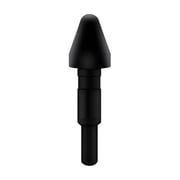
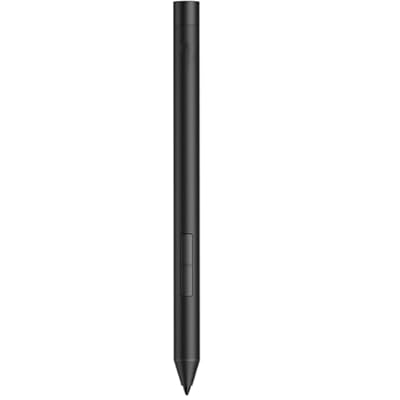
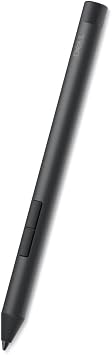
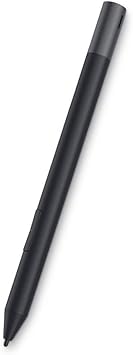
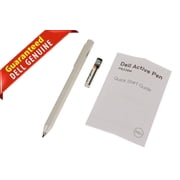
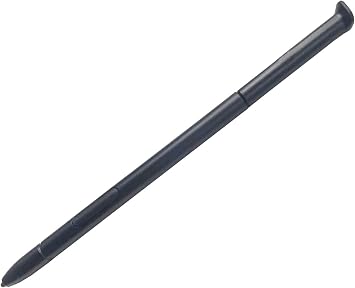
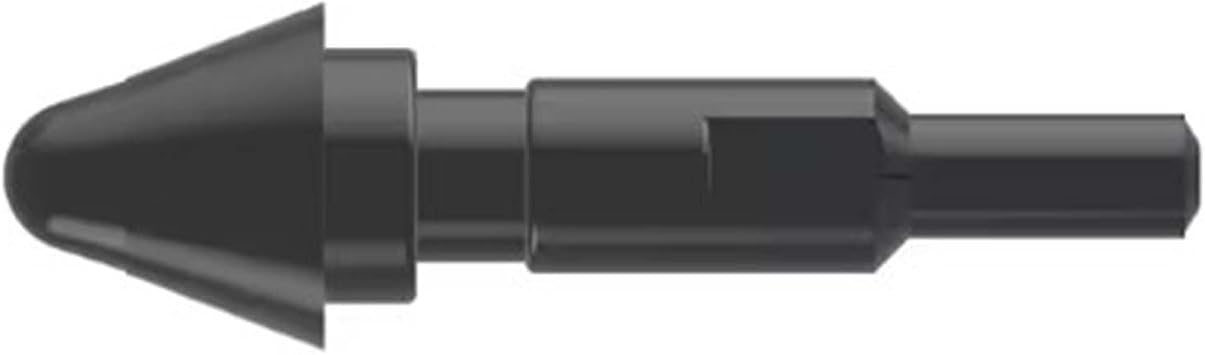
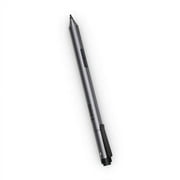
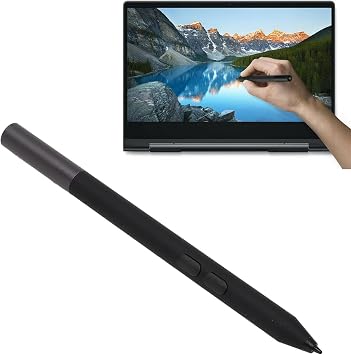
G1 Pro Dell Active Pen PN5122W Stylus Replacement for 2 in 1 Laptop - Compatible With Latitude 334053107210, Inspiron 74207425, XPS
High Sensitivity and Tilt Support - 4096-level pressure sensitivity and tilt support, allowing you to create strokes of different shades.
G1 Pro Dell Active Pen PN5122W Stylus Replacement for 2 in 1 Laptop - Compatible With Latitude 334053107210, Inspiron 74207425, XPS

G1 Pro Dell Active Pen PN5122W Stylus Replacement for 2 in 1 Laptop - Compatible With Latitude 334053107210, Inspiron 74207425, XPS

0 ratings Write a review
Out of stock
us Imported from USA store
Our Top Logistics Partners
  • fedex
  • dhl
High Sensitivity and Tilt Support - 4096-level pressure sensitivity and tilt support, allowing you to create strokes of different shades.
U-Care Warranty:
None
Select a Plan
fast shipping

Fast
Shipping

free return

Free
Return*

secure packaging

Secure Packaging

100% original products

100% Original Products

pci-dss

PCI DSS Compliance

iso certified

ISO 27001 Certified


paypal payment
visa payment
mastercard payment
Note: Step Down Voltage Transformer required for using electronics products of US store (110-120). Recommended power converters Buy Now.

What Stands Out

Precision Technology
Experience enhanced accuracy and responsiveness with G1 Pro Pen, designed specifically for Dell devices, ensuring perfect strokes and markups for both professional and creative tasks.
Seamless Compatibility
This replacement stylus is compatible with a range of Dell 2-in-1 laptops, making it your go-to choice for reliable performance across models like Latitude, Inspiron, and XPS.
User-Friendly Design
Crafted for comfort and functionality, the G1 Pro Pen offers an ergonomic grip, allowing extended use without fatigue, making it ideal for long writing or drawing sessions.

Product Details

Shop G1 Pro Dell Active Pen PN5122W Stylus Replacement for 2 in 1 Laptop - Compatible With Latitude 334053107210, Inspiron 74207425, XPS online at a best price in Bangladesh. B0DGSH1KKZ
Item Weight0.1 lbs (50 grams)

Who Should Buy?

Suitable For
  • Creative Professionals

    Artists and designers will benefit from the pen's precision and pressure sensitivity for detailed work.

  • Note-Taking Students

    Ideal for students who prefer handwritten notes and sketches on touchscreen devices while attending lectures.

  • Business Presenters

    Professionals leading presentations can enhance their visuals with accurate annotations and drawings on touchscreen laptops.

Not Suitable For
  • Casual Users

    Occasional users may find the stylus unnecessary and prefer using their fingers for basic navigation tasks.

Product Description

G1 Pro Dell Active Pen PN5122W Stylus Replacement for 2 in 1 Laptop - Compatible With Latitude 334053107210, Inspiron 74207425, XPS

Have any Query? Chat with us

Customer Questions & Answers

  • Question: What is the G1 Pro Pen and what does it replace?

    Answer: The G1 Pro Pen is a high-performance stylus designed specifically as a replacement for the Dell Active Pen PN5122W. It features advanced functionality that closely mimics the original pen, ensuring seamless use with compatible Dell devices, including 2-in-1 laptops and the Latitude series. This makes it an ideal choice for artists, students, and professionals who rely on precision for note-taking, sketching, or any touch-based application.
  • Question: Is the G1 Pro Pen compatible with my Dell Latitude laptop?

    Answer: Yes, the G1 Pro Pen is specifically engineered to be compatible with the Dell Latitude 3340 series and other compatible Dell 2-in-1 models. Its precise technology allows for accurate input on touch screens, helping users navigate efficiently while enjoying smooth writing or drawing experiences. This compatibility ensures that customers can utilize this pen as a reliable tool for enhancing productivity and creativity across various applications.
  • Question: How do I set up the G1 Pro Pen with my device?

    Answer: Setting up the G1 Pro Pen is straightforward. Simply remove the cap, and ensure it has an appropriate battery installed, usually a AAAA, depending on the model. Once the pen is ready, hover it close to your device's screen, and it should automatically pair. For optimal performance, make sure your device's drivers are up to date. Setup is quick, allowing you to start sketching, note-taking, or navigating your screen instantly.
  • Question: Does the G1 Pro Pen offer pressure sensitivity?

    Answer: Yes, the G1 Pro Pen is designed with pressure sensitivity features that allow for a dynamic drawing experience. This means that the harder or softer you press the pen against the screen, the thickness of the stroke will vary, ideal for professional artists and students alike. This unique feature enhances creativity for tasks such as digital art or designing where precision and control play a significant role.
  • Question: Can I use the G1 Pro Pen for multitasking on my Dell device?

    Answer: Absolutely! The G1 Pro Pen can significantly enhance multitasking capabilities on your Dell 2-in-1 device. It allows users to navigate applications smoothly, annotate documents, or even draw while executing multiple tasks simultaneously. For instance, a student could take notes in a lecture while sketching diagrams, enhancing both learning and productivity.
  • Question: How does the G1 Pro Pen compare to the original PN5122W?

    Answer: The G1 Pro Pen serves as a reliable, high-quality alternative to the original Dell Active Pen PN5122W. It offers similar features, including pressure sensitivity and precise tracking, ensuring that users feel comfortable transitioning without sacrificing performance. Customers have reported satisfaction with its functionality in both everyday tasks and creative projects, making it a competitive option for those seeking a replacement.
  • Question: What types of applications can I use the G1 Pro Pen with?

    Answer: The G1 Pro Pen is compatible with a range of applications, including note-taking, digital artwork, PDF annotation, and various drawing apps. Whether you're using Microsoft OneNote for note-taking or Adobe Illustrator for design work, the pen’s accuracy and responsiveness significantly enhance user experience. This versatility caters to professionals and students, adapting well to different workflows and creative processes.
  • Question: Is there a way to customize the buttons on the G1 Pro Pen?

    Answer: Yes, the G1 Pro Pen often comes equipped with customizable buttons. Users can customize these buttons through their device's settings, allowing for quick access to functions like erasing, right-clicking, or opening specific applications. This feature can streamline workflows, enabling faster execution of tasks, especially valuable for creative professionals who rely on efficiency during projects.
  • Question: Where can I buy the G1 Pro Pen for Dell Active Pen PN5122W?

    Answer: You can buy the G1 Pro Pen for Dell Active Pen PN5122W from Ubuy. Ubuy provides a wide selection of accessories, and their website offers a user-friendly shopping experience, making it easy to find compatible products for your Dell devices, including the 2-in-1 laptops. Their commitment to quality ensures you'll receive the stylus pen that meets your needs.
  • Question: Does the G1 Pro Pen require special software to function?

    Answer: The G1 Pro Pen does not typically require special software to function with compatible devices. It is designed to work with the built-in touch and stylus features of your Dell device right out of the box. For enhanced functionality, users may still benefit from installing software specific to drawing and note-taking, but basic functions like scrolling and clicking will work seamlessly without additional applications.

CaoXiong Digital Pens Editorial Review

No editorial reviews found

Customer Reviews & Ratings

5.0
1 customers ratings
  • 5 Star
    100%
  • 4 Star
    0%
  • 3 Star
    0%
  • 2 Star
    0%
  • 1 Star
    0%

Review this product

Share your thoughts with other customers

Platform Trust & Buyer Confidence

trustpilot logo
4.3/5 9,000 + reviews
Read reviews
MT
Mohd
Verified buyer

“The product received very good packaging & safe…Thank You”

16 June 2026 · via Trustpilot
SJ
Shawati
Verified buyer

“Accurate delivery timing given”

16 June 2026 · via Trustpilot
YB
Youcef
Verified buyer

“Not madly expensive like I thought, and much quicker than promised.”

15 June 2026 · via Trustpilot
LM
Leila
Verified buyer

“Never dealt with Ubuy before, but everything worked out great. Seamless cross border purchasing and shipping. Thanks!”

6/7/2026 · via Trustpilot
KA
Kwame
Verified buyer

“The process was smooth, with clear communication and timelines. This was my 1st purchase and I am really impressed. I will definitely be coming back.”

12 June 2026 · via Trustpilot
Secure Checkout Global Delivery Easy Returns Genuine Products

Important information

  • Limitations : For products shipped internationally, please note that any manufacturer warranty may not be valid; manufacturer service options may not be available; product manuals, instructions, and safety warnings may not be in destination country languages; the products (and accompanying materials) may not be designed in accordance with destination country standards, specifications, and labeling requirements; and the products may not conform to destination country voltage and other electrical standards (requiring use of an adapter or converter if appropriate). The recipient is responsible for assuring that the product can be lawfully imported to the destination country. When ordering from Ubuy or its affiliates, the recipient is the importer of record and must comply with all laws and regulations of the destination country.
  • Not all the products listed on Ubuy are for sale, as Ubuy is a global search engine. Products are subject to export/trade regulations.