- Home Page /
- Electronics /
- Computer Accessories /
- Computer Accessories & Peripherals /
- Audio & Video Accessories /
- Webcams & VoIP Equipment /
- Webcams /
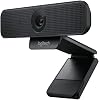
- Logitech C925-E Webcam, HD 1080p30fps Video C...
0 ratings


Item #:
5723702
Logitech C925-E Webcam, HD 1080p30fps Video Calling, Light Correction, Autofocus, Clear Audio, Privacy Shade, Works with Skype Business, WebEx, Lync,
Item #:
5723702
BDT 14422
Price Details
Excluding Shipping & Custom charges ( Shipping and custom charges will be calculated on checkout )
*All items will import from US
0 ratings
Write a review
In stock
 Imported from USA store
QTY:
Order now and get it around Tuesday, June 30
Secured transaction
Ubuy works hard to protect your security and privacy. Our advanced payment security system ensures confidentiality by encrypting your information during transmission using AES (Advanced Encryption Standards) and SSL (Secure Socket Layer) protocols. Your payment details are 100% secure as we do not share your payment details with third party sellers.
Our Top Logistics Partners


Logitech C925-E Webcam provides HD 1080p/30fps video quality and dual integrated omnidirectional mics for natural and clear conversations.

Fast
Shipping

Free
Return*

Secure Packaging

100% Original Products

PCI DSS Compliance

ISO 27001 Certified


Note: Step Down Voltage Transformer required for using electronics products of US store (110-120). Recommended power converters Buy Now.


What Stands Out
HD 1080p Video
Experience vibrant, high-definition 1080p video quality at 30fps. Ideal for professional video calls and streaming, ensuring exceptional clarity for users in corporate and remote settings.
Light Correction
Automatic light correction adjusts to various lighting conditions, providing consistent video quality. This feature enhances the user experience, making it suitable for diverse environments, from well-lit offices to dimly lit rooms.
Clear Audio
Integrates high-quality microphones to deliver clear audio during video calls. This ensures effective communication, addressing the typical issue of poor sound quality in virtual meetings, making it a reliable choice for professionals.
Product Details
- HD 1080p/30 fps and HD autofocus for clear video in a 78° field of view
- RightLight 2 technology for automatic visual quality adjustment
- Dual integrated omnidirectional mics capture clear audio up to one meter away
- Supports H.264 with Scalable Video Coding (SVC) and UVC 1.1 encoding for clear video
- Logi Tune Desktop app for easy device control and firmware updates
- Certified for Microsoft Teams and Skype for Business, with compatibility for Google Meet and Zoom
| Item Weight | 1 lbs (450 grams) |
Who Should Buy?

-
Remote Workers
Ideal for remote employees needing high-quality video calls for effective communication with team members and clients.
-
Online Educators
Perfect for teachers conducting virtual classes, providing clear visuals and audio for engaging student interactions.
-
Business Meetings
Designed for professionals using platforms like Skype Business or WebEx, ensuring reliable video conferencing capabilities.

-
Casual Users
Not suitable for casual activities, as features may exceed basic needs for occasional video chatting.
-
High-End Gamers
Gamers seeking top-tier webcam quality might find limitations in this model compared to specialized gaming webcams.
-
Budget-Conscious Buyers
May not be the best option for users looking for lower-priced webcams without advanced features.
Product Description
Logitech C925-E Webcam, HD 1080p30fps Video Calling, Light Correction, Autofocus, Clear Audio, Privacy Shade, Works with Skype Business, WebEx, Lync, Cisco, PCMacLaptopMacbook - Black
Have any Query? Chat with us
Customer Questions & Answers
-
Question:
What video resolution does the Logitech C925-E Webcam support?
Answer: The Logitech C925-E Webcam supports a high-definition video resolution of 1080p at 30 frames per second. This level of clarity is suitable for professional video calling and streaming, providing crisp visuals that enhance communication. Whether you're on a Zoom meeting or virtual presentation, the clarity ensures you look your best. The integrated features work together to deliver a superior video experience, making it a great choice for remote work. -
Question:
Does the Logitech C925-E Webcam have low light correction?
Answer: Yes, the Logitech C925-E Webcam is equipped with Light Correction technology, allowing it to automatically adjust to various lighting conditions. This feature ensures that your video remains clear even in less-than-ideal lighting, making it suitable for indoor use as well as environments with fluctuating light. Whether you're in a dimly lit room or facing sunlight, the webcam adapts to deliver optimal video quality, enhancing your video conferencing experience. -
Question:
What is the focus capability of the Logitech C925-E Webcam?
Answer: The Logitech C925-E Webcam features autofocus technology, which allows it to maintain clarity and sharpness as you move within the frame. This is particularly helpful during presentations or discussions with multiple participants, as the camera adjusts in real-time. This capability ensures that your focus remains on the subject matter without disruptions, giving you peace of mind that you'll always be in clear view. -
Question:
Can I use the Logitech C925-E Webcam for online meetings?
Answer: Absolutely! The Logitech C925-E Webcam is optimized for use with various online meeting platforms including Skype Business, WebEx, and Lync. Its high-quality video and audio capabilities make it an ideal tool for professional or casual meetings. With its easy compatibility, you can seamlessly transition between different platforms, ensuring your conferencing experience is smooth and efficient. -
Question:
Is the audio quality clear with the Logitech C925-E Webcam?
Answer: Yes, the audio quality from the Logitech C925-E Webcam is designed to deliver clear sound. It features dual microphones that capture your voice clearly while minimizing background noise, which is vital for effective communication during calls. Whether discussing crucial projects or catching up with colleagues, the clear audio quality enhances the overall experience, making conversations more engaging and productive. -
Question:
What is the privacy shade feature in the Logitech C925-E Webcam?
Answer: The Logitech C925-E Webcam includes a convenient privacy shade that allows you to easily cover the camera when it’s not in use. This feature provides an extra layer of security, ensuring that you have full control over your privacy. It’s especially beneficial for users who are concerned about unauthorized access during remote work or in personal spaces, allowing peace of mind when the webcam is not actively in use. -
Question:
How do I set up the Logitech C925-E Webcam?
Answer: Setting up the Logitech C925-E Webcam is straightforward. Simply connect it to your computer via USB, and it is automatically recognized by most operating systems without the need for additional drivers. You can then adjust settings via the webcam’s software for video quality and audio preferences. This plug-and-play functionality makes it an excellent choice for users who want to start video calling without technical hassles. -
Question:
Is the Logitech C925-E Webcam suitable for gaming?
Answer: While the Logitech C925-E Webcam is primarily designed for video calling and professional use, it can also be used for streaming games. Its HD video quality ensures that viewers can see your gameplay clearly. However, for dedicated gaming setups, users may prefer webcams specifically designed for high-motion gaming. Nonetheless, the C925-E provides flexibility, making it a viable option for those who want to stream casually or add a personal touch to their gaming videos. -
Question:
What applications can the Logitech C925-E Webcam support?
Answer: The Logitech C925-E Webcam is versatile and supports a wide range of applications, including Skype, Microsoft Teams, Zoom, and WebEx. This compatibility makes it an ideal choice for business professionals who need to switch between different platforms for meetings and webinars. The seamless integration not only saves time during setup but also enhances your workflow, allowing you to focus on your tasks rather than technical adjustments. -
Question:
Where can I buy the Logitech C925-E Webcam?
Answer: You can conveniently purchase the Logitech C925-E Webcam from Ubuy in Bangladesh. Ubuy offers a comprehensive selection of electronics, ensuring you get an authentic product along with reliable customer service. Whether you're setting up a home office or upgrading your streaming setup, Ubuy provides an easy and reliable way to get your hands on this high-quality webcam.
Logitech Webcams Editorial Review
The Logitech C925-E Webcam is a high-quality webcam that offers HD 1080p30fps video calling, light correction, autofocus, clear audio, and a privacy shade. It is compatible with Skype Business, WebEx, Lync, and Xbox One. The webcam has a female screw hole to attach to a tripod and the microphone can be disabled depending on the program used. The webcam works on Mac desktops with separate speakers, and if there's an echo, the input volume needs to be adjusted. The webcam has a USB-A plug, but an adapter is needed to connect to a USB-C port. The mic range is up to 1m. Overall, the webcam received positive reviews in terms of its picture and audio quality, ease of setup, and privacy features. The adjustment software does not work for new Mac OS, but that did not deter customers' high recommendation of the webcam.
Customer Reviews & Ratings
1 customers ratings
-
5 Star
0%
-
4 Star
100%
-
3 Star
0%
-
2 Star
0%
-
1 Star
0%
Review this product
Share your thoughts with other customers
Pros
- HD 1080p30fps video calling
- Light correction
- Autofocus
- Clear audio
- Privacy shade
- Compatible with Skype Business, WebEx, Lync, and Xbox One
- Easy to set up
- Picture and audio quality is perfect
- Webcam manually blocks
Cons
- Adjustment software does not work for new Mac OS
Product Price History
Important information
- Limitations : For products shipped internationally, please note that any manufacturer warranty may not be valid; manufacturer service options may not be available; product manuals, instructions, and safety warnings may not be in destination country languages; the products (and accompanying materials) may not be designed in accordance with destination country standards, specifications, and labeling requirements; and the products may not conform to destination country voltage and other electrical standards (requiring use of an adapter or converter if appropriate). The recipient is responsible for assuring that the product can be lawfully imported to the destination country. When ordering from Ubuy or its affiliates, the recipient is the importer of record and must comply with all laws and regulations of the destination country.
- Not all the products listed on Ubuy are for sale, as Ubuy is a global search engine. Products are subject to export/trade regulations.
BDT 14422
Order now and get it around Tuesday, June 30
This item is not restrict in my country.(Please click on above link if this item is not restrict in your country, So our team will review and allow.)
QTY:
Secured transaction
Ubuy works hard to protect your security and privacy. Our advanced payment security system ensures confidentiality by encrypting your information during transmission using AES (Advanced Encryption Standards) and SSL (Secure Socket Layer) protocols. Your payment details are 100% secure as we do not share your payment details with third party sellers.
Our Top Logistics Partners
Fastest cross-border delivery
Features & Benefits
- Provides HD 1080p/30fps video quality
- Dual integrated omnidirectional mics for natural and clear conversations
- Supports H.264 with Scalable Video Coding
- Certified for Microsoft Teams and Skype for Business
- Adjustable clip and integrated thread for secure mounting
- Built-in lens shade with slider tab for privacy and peace of mind